OpenShift AI and Skupper: insurance fraud prevention
Table of contents

Description
This workshop demonstrates how to use Skupper to connect local data services to cloud-based AI/ML environments. The workshop includes a Go application in a podman container that exposes internal data for Skupper connection. The AI/ML model training is performed in an OpenShift AI cluster on AWS using Openshift AI/ML services.
Disclaimer
This lab uses the example from the AI/ML Workshop created by the Red Hat AI Services team. The original workshop is available on GitHub and includes all the necessary information to run the lab. The lab was adapted to use Skupper to connect the local data services to the cloud-based AI/ML environment.
In order to faciliate the execution, for those who have access to the demo.redhat.com environment, you can start the lab by clicking here. If you don’t have access to the demo environment, you can follow the steps at the gitub repository mentioned above.
References
- Red Hat AI/ML Workshop
- GO Application to expose internal data
- Modified examples for the workshop
- The Developers Conference Workshop Repository
- Skupper
Workshop Overview
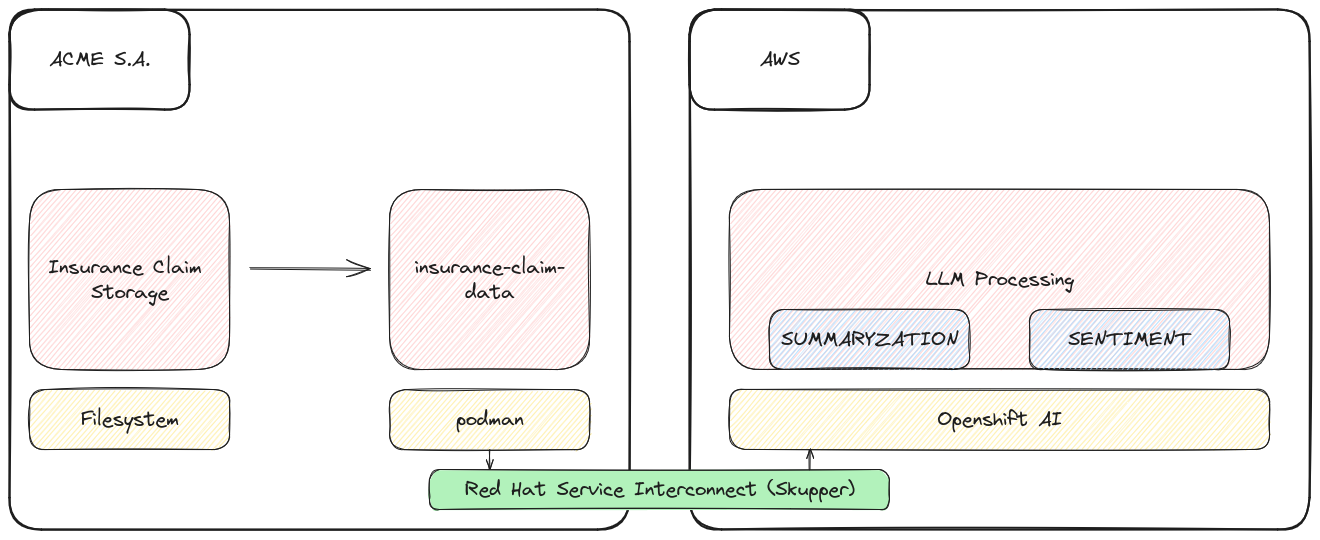
This lab demonstrates how AI/ML technologies can solve a business problem. The information, code, and techniques presented illustrate a prototype solution. Key steps include:
- Storing raw claim data within the company.
- Using a Go application in a podman container to expose internal data for Skupper connection.
- Setting up AI/ML model training in an OpenShift AI cluster on AWS.
- Connecting local data to cloud-based AI/ML services using Skupper.
Skupper Role
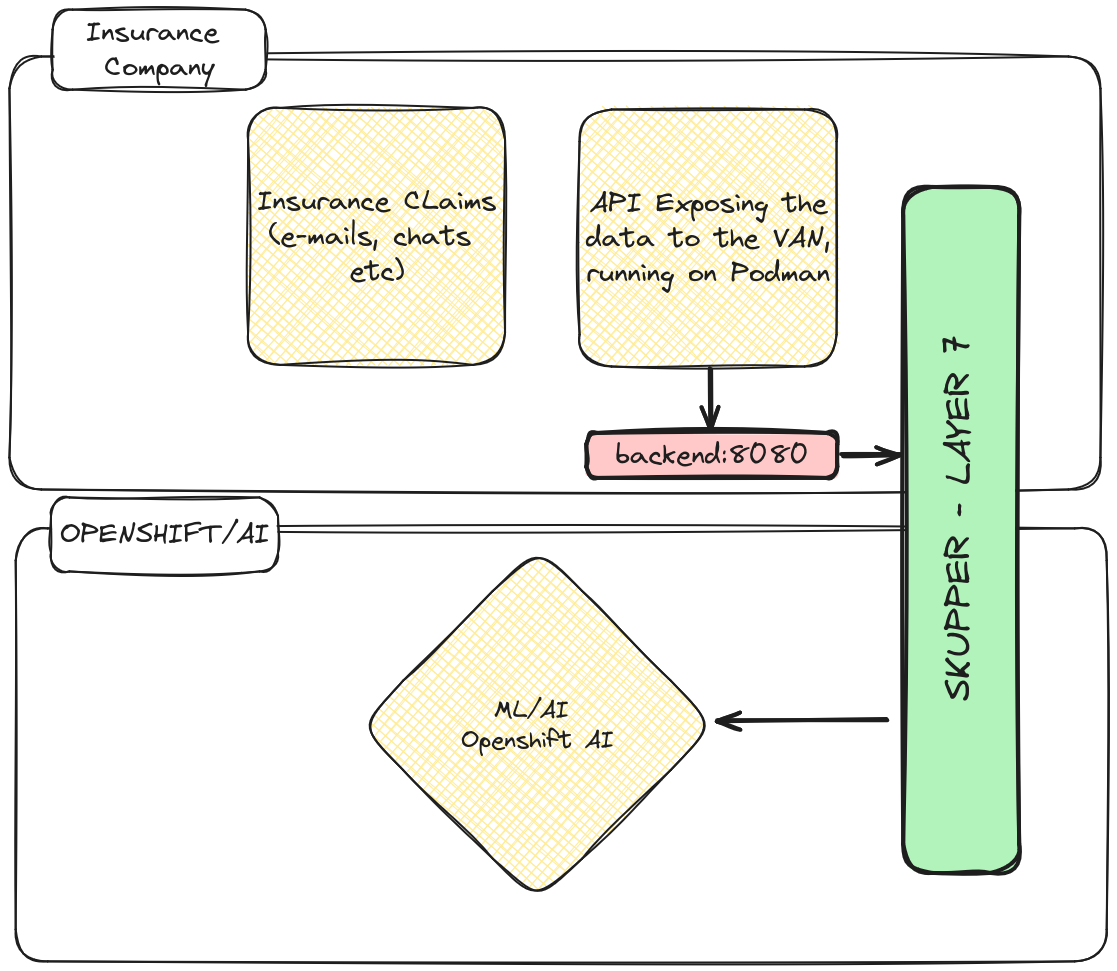
Skupper provides secure, efficient connections between different environments. In this workshop, it connects local data services containing sensitive insurance claim information to a cloud-based AI/ML environment. This secure connection allows remote data access and processing while maintaining data integrity and security.
Process Structure
- Context
- Connection and Setup
- LLM for Text Summarization
- LLM for Information Extraction
- LLM for Sentiment Analysis
Scenario
We are a multinational insurance company undergoing digital transformation. A small team has analyzed the claims process and proposed improvements. The goal is to integrate the claims processing solution with text analysis using our API in a Kubernetes cluster on AWS.
Challenges
Using Skupper to Ensure Data Security and Integrity
- Maintaining data integrity and security: Skupper encrypts all data traffic, ensuring sensitive data protection during transmission.
- Processing emails with OpenShift AI in the on-premises datacenter.
- Keeping applications with sensitive data within the company.
- Ensuring secure connections between data services and datacenters.
Prototyping Work Examples
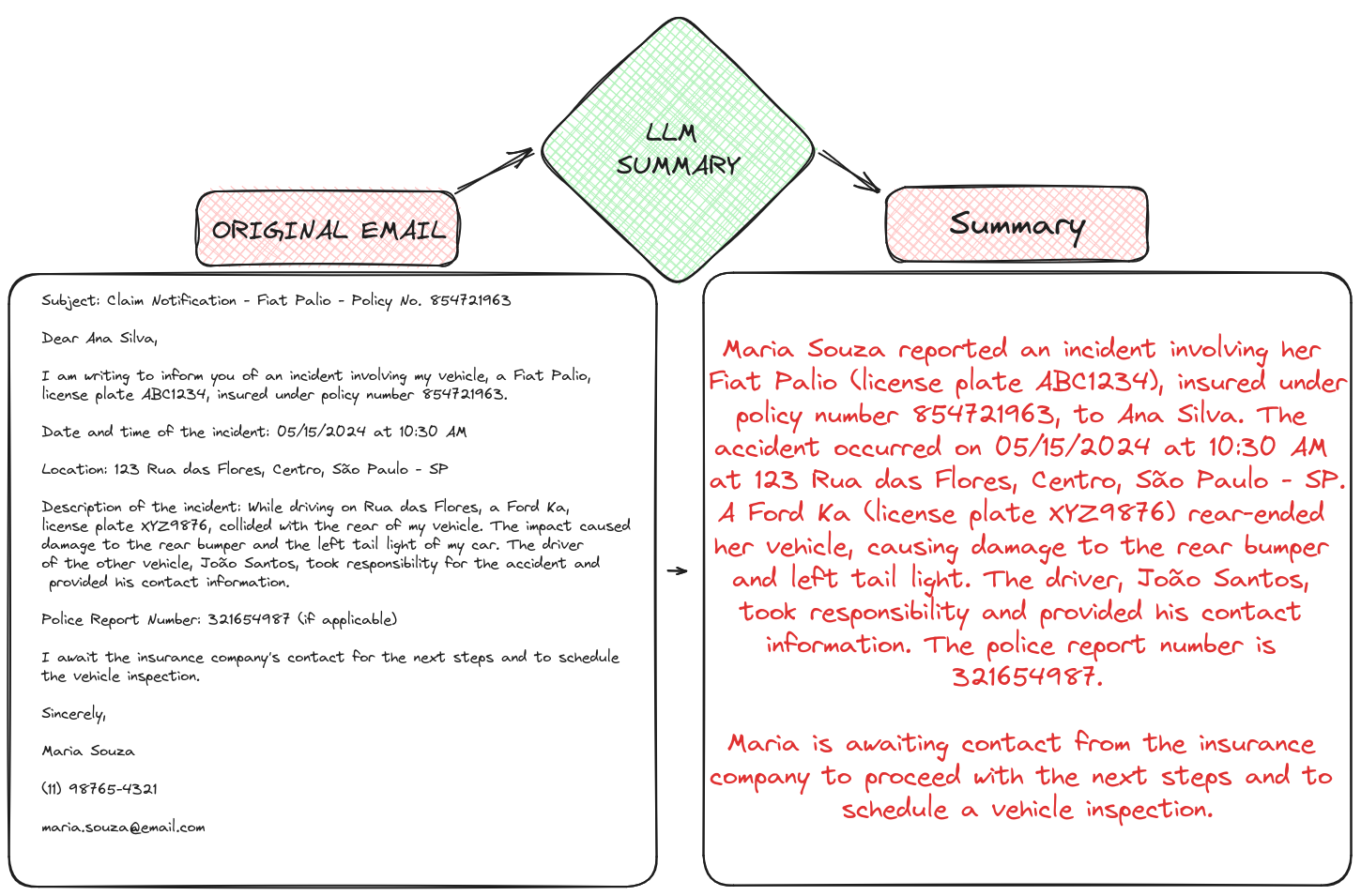
Using an LLM for Text Summarization
An LLM can summarize long emails, allowing insurance adjusters to quickly understand key details.
Using an LLM for Information Extraction
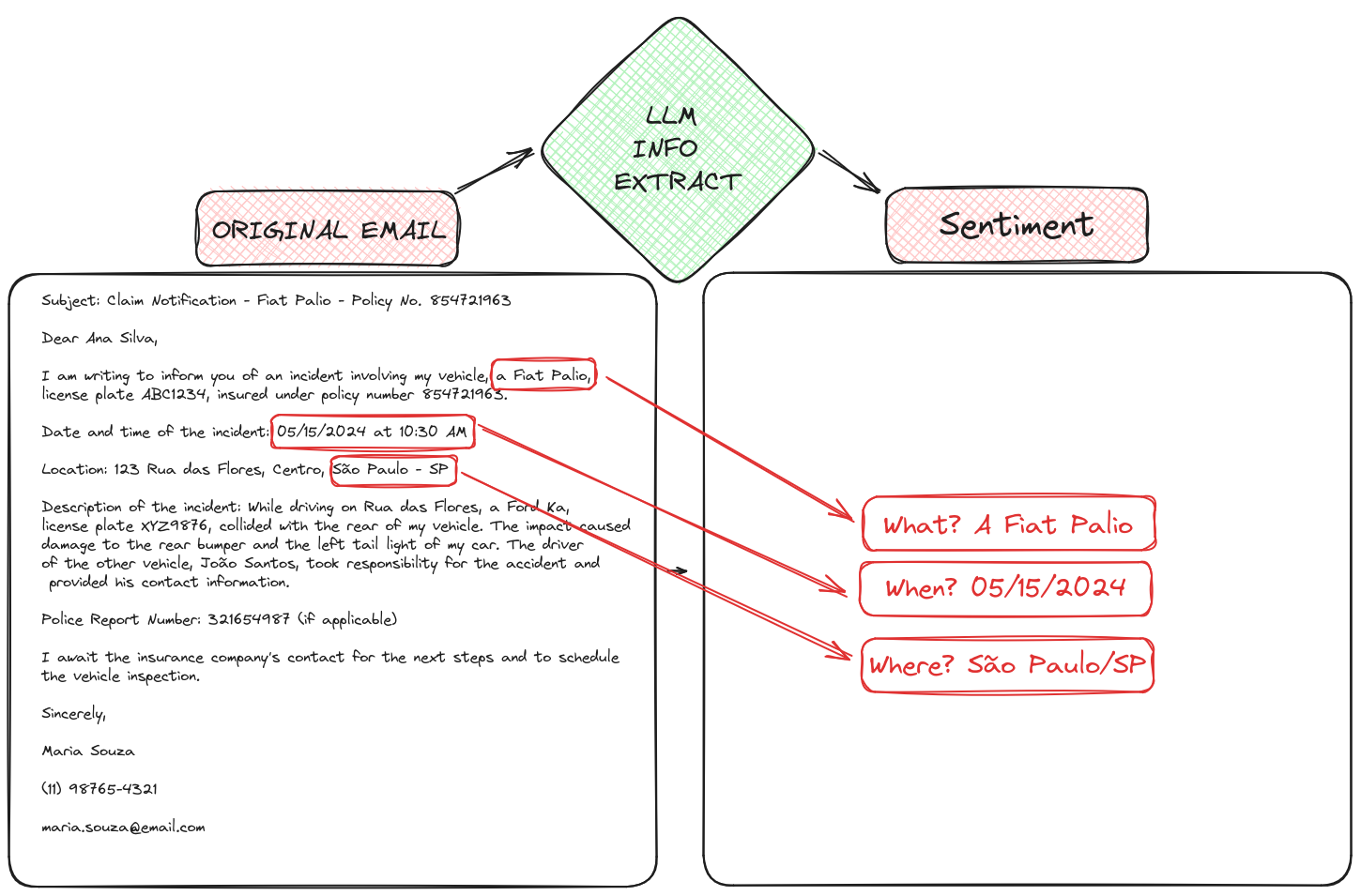
An LLM extracts key information from emails and automatically populates structured forms.
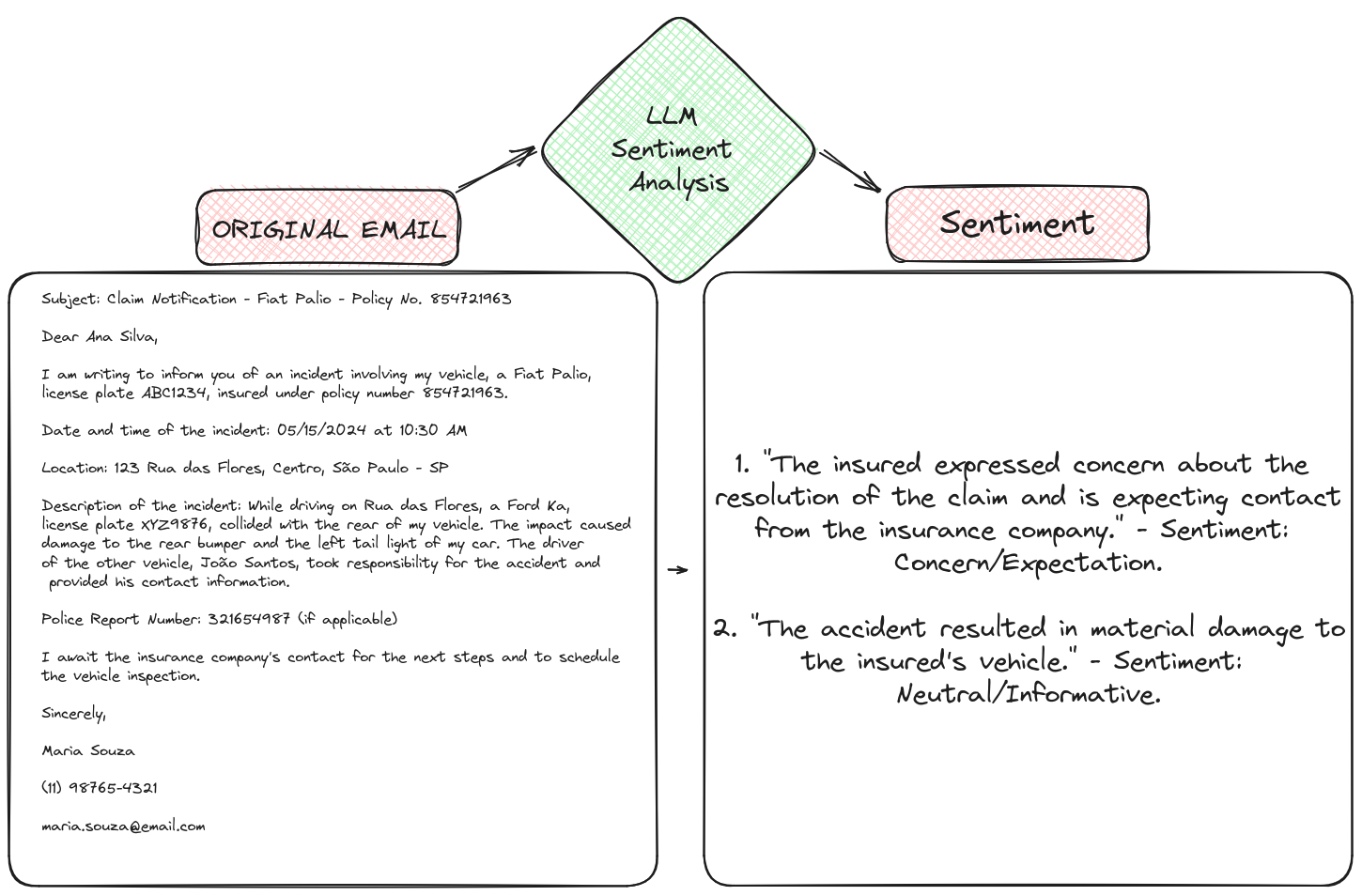
Using an LLM for Sentiment Analysis
An LLM identifies customer sentiment, allowing for prompt action based on text tone.
How to Use LLMs?
- Notebook for using LLM
- Notebook for text summarization with LLM
- Notebook for information extraction with LLM
- Notebook for comparing LLM models
Part 2: Hands-On
Activities
- Install Skupper binary
- Install Skupper locally
- Install Skupper on the OpenShift Cluster
- Linking the sites
- Run the application inside the podman site and expose the service
- Execute the workshop with modified examples
Steps
Installing the Skupper binary
curl https://skupper.io/install.sh | shInstalling Skupper on the podman site
export SKUPPER_PLATFORM=podman
podman network create skupper
skupper init --ingress none
Install Skupper on the OpenShift Cluster
skupper init --enable-console --enable-flow-collector --console-user admin --console-password adminLinking the sites
- Creating the token on the most exposed cluster
skupper token create /tmp/insurance-claim - Linking the podman site to the most exposed cluster
skupper link create /tmp/insurance-claim --name ai
- Creating the token on the most exposed cluster
Running the application inside the podman site and exposing the service
podman run -d --network skupper -p 8080:8080 -v /home/rzago/Code/go-flp/data:/app/data --name insurance-claim-data quay.io/rzago/insurance-claim-data:latest
skupper service create backend 8080
skupper service bind backend host insurance-claim-data --target-port 8080
skupper service create backend 8080
Successful Connection
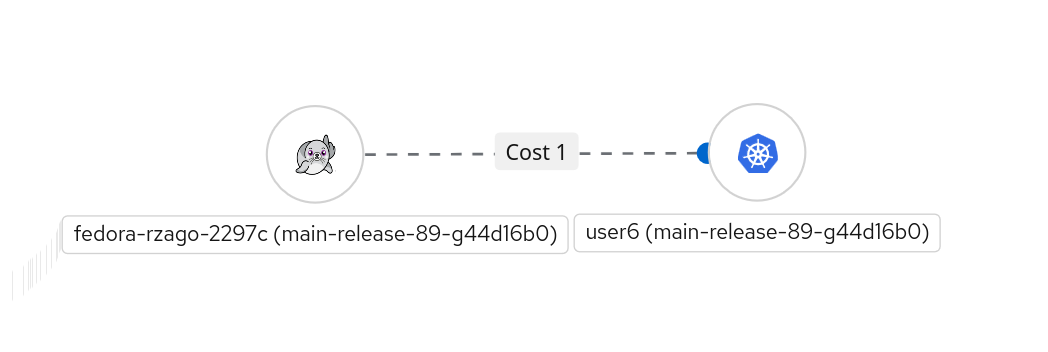
Final Topology
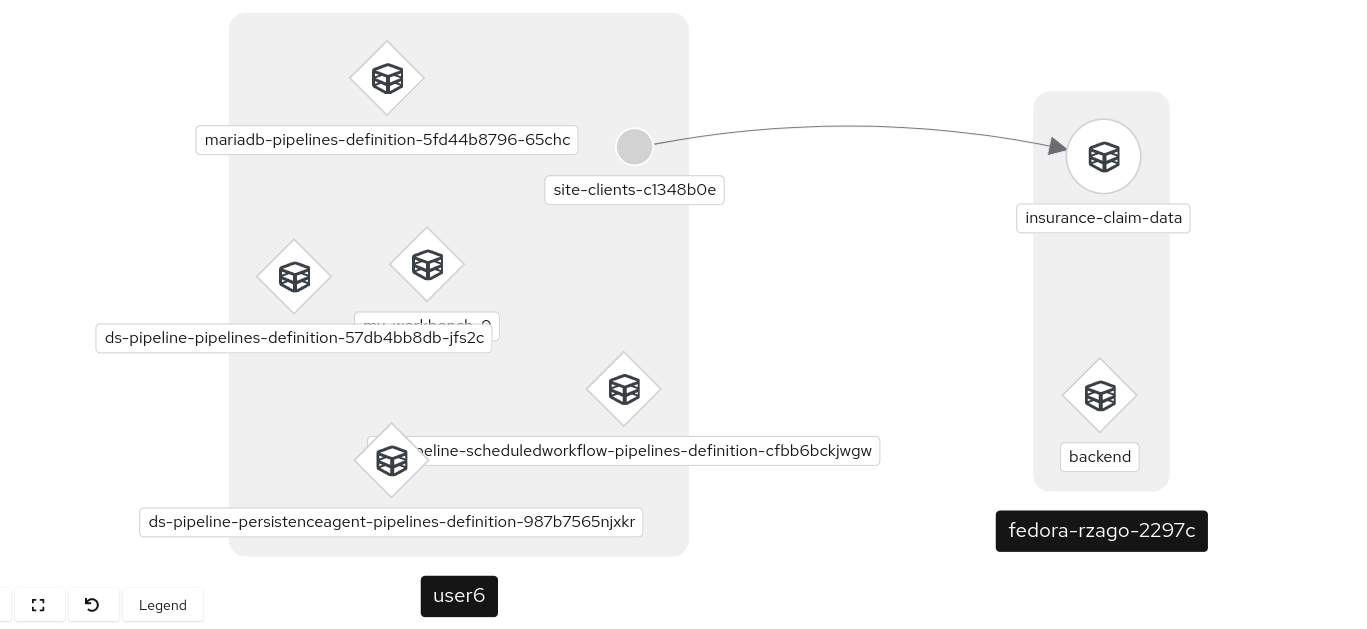
Testing the connection to the podman site service from the OpenShift cluster
oc exec deploy/skupper-router -c router -- curl http://backend:8080/claim/claim1.json
Next Steps
Now you can continue with the workshop until generating the sentiments of the emails.
Conclusion
This workshop demonstrates how to use Skupper to connect local data services to cloud-based AI/ML environments. The workshop includes a Go application in a podman container that exposes internal data for Skupper connection. The AI/ML model training is performed in an OpenShift AI cluster on AWS using Openshift AI/ML services.